The Story
SP Connect Weather Cover Samsung S22 Ultra - 55252
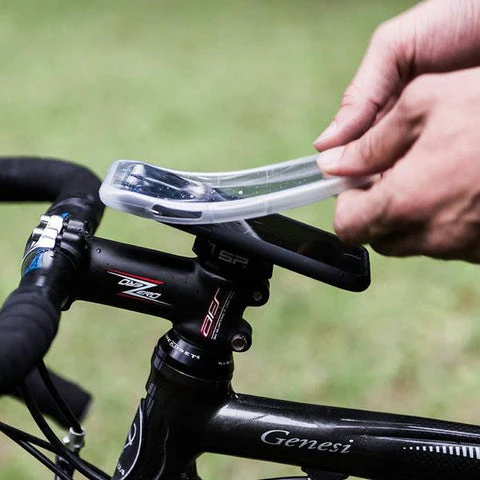
Protect your smartphone from rain, sweat, dust, or mud by using the WEATHER COVER together with the SP Connect™ Phone Case. It adds shock resistance and the touchscreen remains fully functional.
- Protects against rain, sweat, dust or mud
- Additional shock resistance for your phone
Note: Thick screen protectors or gloves can limit the usability of your touchscreen in combination with the Weather Cover. The Weather Cover can further affect the home button functionality of iPhone SE (2020), 8, 8 Plus, 7 & 7 Plus. This can be compensated by enabling the software home button (Assistive Touch).

Details & Craftsmanship
Every detail has been carefully considered to bring you the perfect product.

Details & Craftsmanship
Every detail has been carefully considered to bring you the perfect product.
Details & Craftsmanship
Every detail has been carefully considered to bring you the perfect product.
Description
SP Connect Weather Cover Samsung S22 Ultra - 55252
Protect your smartphone from rain, sweat, dust, or mud by using the WEATHER COVER together with the SP Connect™ Phone Case. It adds shock resistance and the touchscreen remains fully functional.
- Protects against rain, sweat, dust or mud
- Additional shock resistance for your phone
Note: Thick screen protectors or gloves can limit the usability of your touchscreen in combination with the Weather Cover. The Weather Cover can further affect the home button functionality of iPhone SE (2020), 8, 8 Plus, 7 & 7 Plus. This can be compensated by enabling the software home button (Assistive Touch).